




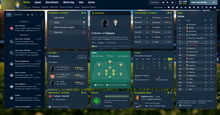
Welcome to the skogr skin! This skin integrates the features of the previous numerical display patch while significantly improving layouts and visual elements.
We focused on cleaner layouts and basic player face integration.
Manager Profile Photo Replacement: Ability to change/replace the user's manager profile picture.
Compatibility: Currently works on Windows only (macOS compatibility has not been tested).
Released: 27 May
Updated: 11 June
skogr FM26 Preview
To see more screenshots of this version or my other works, please visit my Patreon.
skogr Update History
v0.1.4 Update- Completely overhauled the player profile screen.
- Fixed display errors in some player lists.
- The Dark version excludes the 3D manager on the start screen, while the Default version has been updated to display it.
IMPORTANT: Profile Picture Replacement
Changing your profile photo works exactly the same as replacing facepacks for regular players and staff. Simply check your Unique ID on your profile, and place the photo you want to use into your facepack folder (using your ID).For detailed instructions on how to install or edit facepacks, I highly recommend searching for facepack guides/tutorials online.
v0.1.3 Update
- Overhauled Navigation: Converted all menu screens to load as base pages/page transitions instead of pop-up panels. Only the message page remains as an overlapping screen, while all other pages load as independent, standalone screens.
- Commentary Window: Restructured the match commentary screen.
- Bug Fixes: Resolved multiple display bugs related to missing player names, squad numbers, and hover icons.
- Paid Black-Red Custom Skin Early Access: Please note that the paid version is released prior to the public version.
v0.1.2 Update
- Start Screen: Removed the 3D Manager model from the start screen.
- Manager Photo Feature: Added the ability to change the user's manager profile picture.
Tip: Instead of restarting the game after replacing your profile picture, simply changing the language in Preferences will apply the change immediately.- Font Update: Changed the default font to NEXON Lv.2 Gothic (License: Free for personal and commercial use. Source: https://brand.nexon.com/en/ci-brand-guidelines/typeface).
- Name Length Bug: Fixed the screen alignment issues caused by long player names.
- Data Hub Records: Fixed the player name display bug in the Data Hub player records.
- Competition Stats: Fixed the player name display bug in the Competition player records.
- Tactics Screen Fix: Fixed the missing mouseover/hover icon next to player names on the unmixed (separate) tactics panels.
- Graphical Glitches: Fixed other minor visual rendering bugs.
v0.1.1 Update
- Tactics Screen Fix: Resolved the bug from v0.1 where the mouse would freeze/become unresponsive when clicking the "In Possession" or "Out of Possession" tabs.
- Color Scheme Update: Changed the primary theme color to a navy/dark blue palette. Additionally, the purple background that applies when playing in the EPL has been updated to match this new navy theme.
- Player List Refinements: Added missing kits and squad numbers to several player list views where they were previously omitted.
- Staff Search Update: Modified the Staff Search list to display the "Adaptability" attribute as a numerical value.
- Club Info Screen Additions: Updated the Club Info screen (including opposing clubs) to display the Transfer Budget, Wage Budget, and Scouting Budget.
v0.1.0 Update
- Numerical Staff Attributes: View staff attributes as numbers on their profiles.
- Numerical Staff Search: Staff attributes in the search list are displayed as numbers.
- Numerical Player Fitness: View player Fatigue, Match Sharpness, and Condition as numbers.
- Numerical Foot Rating: View player left foot and right foot ratings as numbers.
- Commentary Window Height Fix: Fixed a bug where the height of the in-game commentary window would glitch or stretch when playing the game in Korean (this also helps prevent similar issues in other non-English languages).
v0.1.5 Update
Fixed an issue where two hover icons were displayed in the squad list on the team selection screen when creating a new save.
Fixed font breaking issues in Turkish and Polish.
Fixed an issue where the tactics button was unclickable during Carabao Cup and pre-season friendly matches.
Fixed an issue where clicking on a loan report did not navigate to the player profile screen.
Restored the vanilla behavior where clicking on a position in the player profile screen highlights the relevant attributes.
Moved the scoreboard to the left.
Adjusted some skin background elements.
Adjusted some skin color elements.
v0.1.6 Update
Fixed an issue where the panel disappeared when changing the penalty taker during a match.
Fixed the player list to display in the right rating panel on the national team fixtures screen.
Adjusted the size of background files.
Changed the photo sizes for players, staff, and managers (fixed height, width adjusted to match the photo's aspect ratio)
Fixed an issue where the Online button on the start menu was unclickable.
v0.1.7 Update
Fixed an issue where attacking positions in the player profile screen were unclickable.
Fixed status icons to display correctly in the player profile.
Fixed the national flag in the player profile name area to be clickable.
Adjusted the jersey back number style in the substitution list that appears when clicking a player on the bottom bar during a match.
(Note: Intentionally did not add the numerical fitness display here, as it is already visible in the bottom player list)
How to use the In-Game Editor
On the player or staff profile screen, click the box/button that opens the pop-up window.
Use the in-game editor while this pop-up window is open.
How to Install
Once you unzip the downloaded file, you will find the *Dark Version skin folder*. Copy only the files inside that folder and follow the installation steps below.Installation Steps
Make sure to back up your original files first.Copy only the files inside the folder (do not copy the folder itself).
Paste them into the following directory: \Football Manager 26\fm_Data\StreamingAssets\aa\StandaloneWindows64
Support & Credits

Support my work by buying me a coffee! buymeacoffee.com/skogr
https://www.patreon.com/cw/skogr






Discussion: skogr FM26 skin v0.1.7
11 comments have been posted so far.
I offer custom skins on my Patreon. If you wish to make changes to the public version, please make a request after purchasing.
The In-Game Editor (IGE) is not compatible by default. If you wish to use the IGE comfortably and properly, you will need to use a different skin. This is an intentional modification. The workaround mentioned in the post is simply a method discovered by a user in the Korean community who wanted to use the editor with this skin.